
FortiGate와 FortiAuthenticator RADIUS 연동 방법은 아래 링크를 참조
[ https://ebt-forti.tistory.com/1129 ]
IKEv2 Dial-up IPsec VPN의 설정은 다음과 같다.
config vpn ipsec phase1-interface
    edit "Test"
        set type dynamic
        set interface "wan1"
        set ike-version 2
        set peertype any
        set net-device disable
        set mode-cfg enable
        set proposal aes128-sha256
        set dpd on-idle
        set dhgrp 14
        set eap enable
        set eap-identity send-request
        set authusrgrp "ete"
        set assign-ip-from usrgrp
        set ipv4-start-ip 30.0.0.1
        set ipv4-end-ip 30.0.0.254
        set ipv4-split-include "all"
        set psksecret ENC GTvmpPF+2HCuxoL3MSyjjysO1978IZ28eymsHCS67QX/0RZvlsGej7xgn9uYj6vp/EfPgt91IXiWPBU4yPoVKUFWz9C4b6EneIi0uyLavk5Vt2Q0nuFk1RWTRPNSjA9ORfZGyHggGZ/z13/tuwdjuyEqlHJxb3HBv7bZjVTxq3HUD7byEEJ6ZonvV/0u8r1TNHIAEllmMjY3dkVA
        set dpd-retryinterval 60
    next
end
set eap enable
set eap-identity send-request
set assign-ip-from usrgrp
set ipv4-start-ip 30.0.0.1
set ipv4-end-ip 30.0.0.254
위와 같이 설정할 경우 Dial-up VPN에 접속한 클라이언트는 30.0.0.1과 같이 동적으로 IP 주소를 할당받는다.
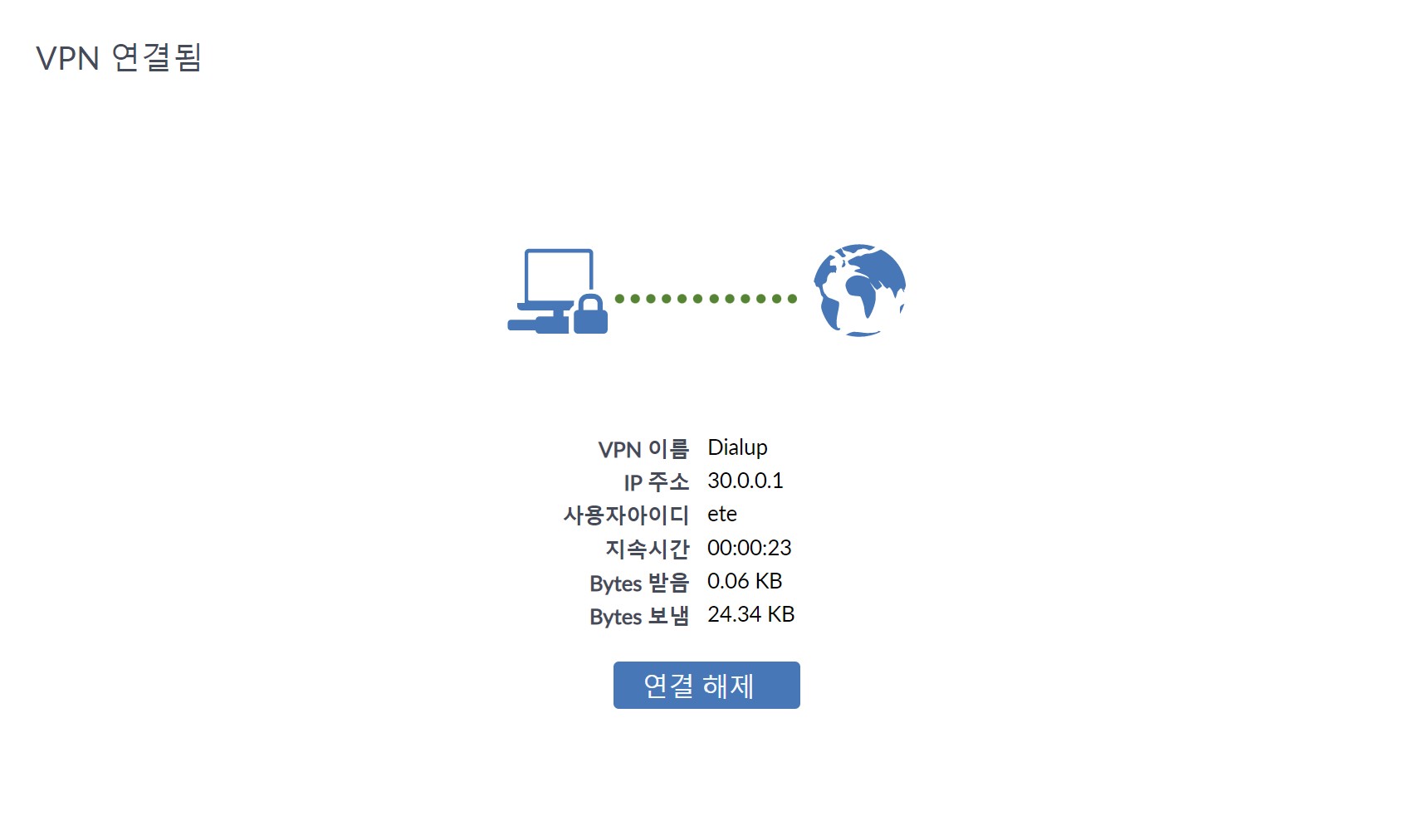
IP를 동적 할당이 아닌 고정(static) IP로 지정하고자 하는 경우 FortiAuthenticator > Authentication > User Management > Local Users에서 해당 사용자 설정 하단의 RADIUS Attributes 항목에 Framed-IP-Address 값을 설정하면 된다.

위 설정을 적용하면 Framed-IP-Address의 Value 값으로 지정한 IP 주소가 해당 사용자에게 고정 할당된다.
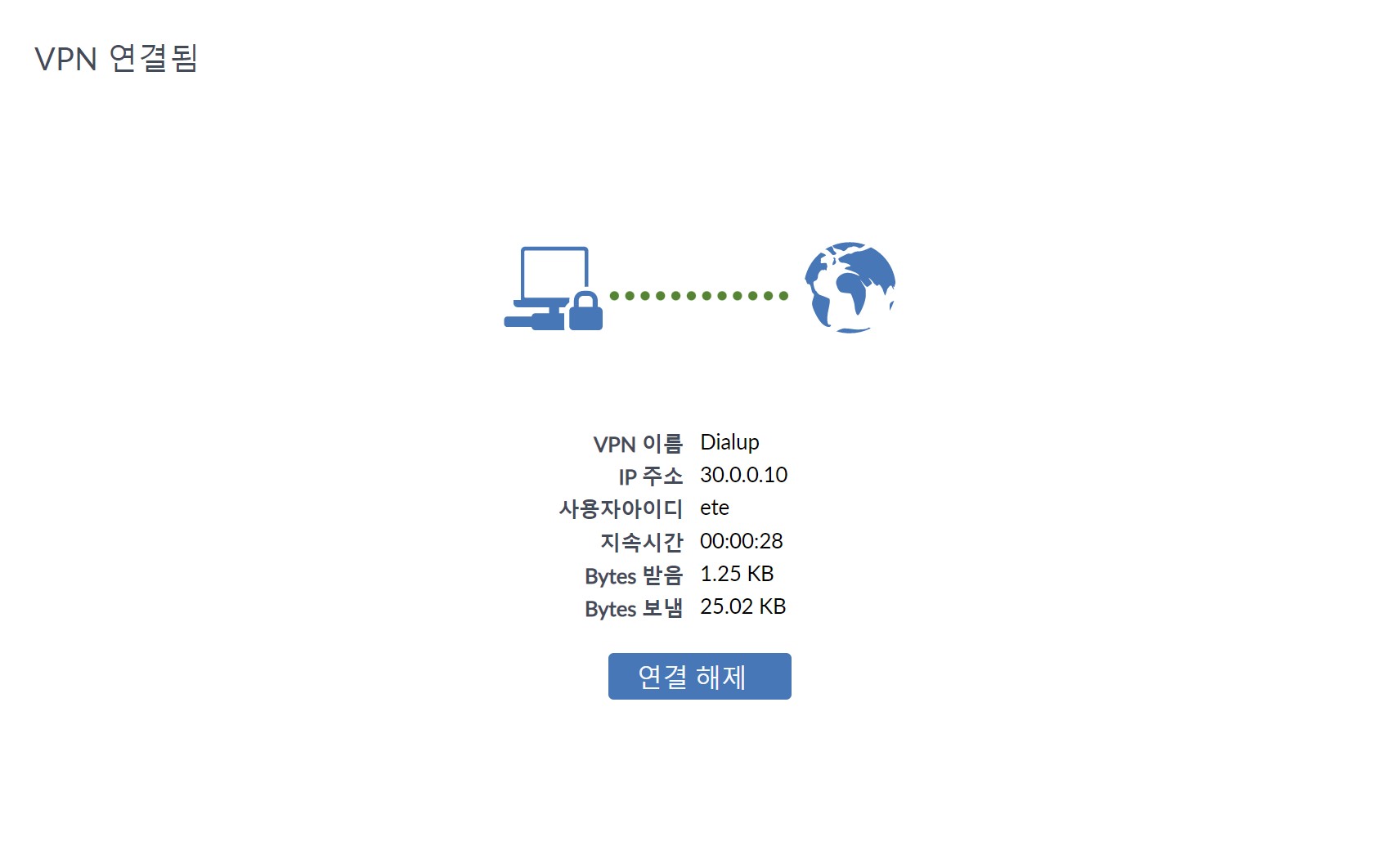
위와 같이 사용자별 고정 IP(30.0.0.10)를 할당한 후, 해당 IP를 방화벽 정책에 적용하여 제어도 가능하다.


'FortiGate > IPsec VPN' 카테고리의 다른 글
| FortiClient IPsec VPN에서 UDP 차단 시 TCP Fallback 동작 원리 (0) | 2026.03.18 |
|---|---|
| IKEv2 Dial-up IPsec VPN에서 User Group을 정책에 적용하는 두 가지 방법 (0) | 2026.02.10 |
| IPsec VPN Tunnel의 NPU 처리 확인 (0) | 2026.02.06 |
| 인증 방식에 따른 IKE 버전 및 FortiClient와 FortiGate 호환성 확인 (0) | 2025.12.02 |
| MacOS용 FortiClient의 IPsec VPN Split Tunnel 제약 사항 (0) | 2025.11.26 |
댓글